
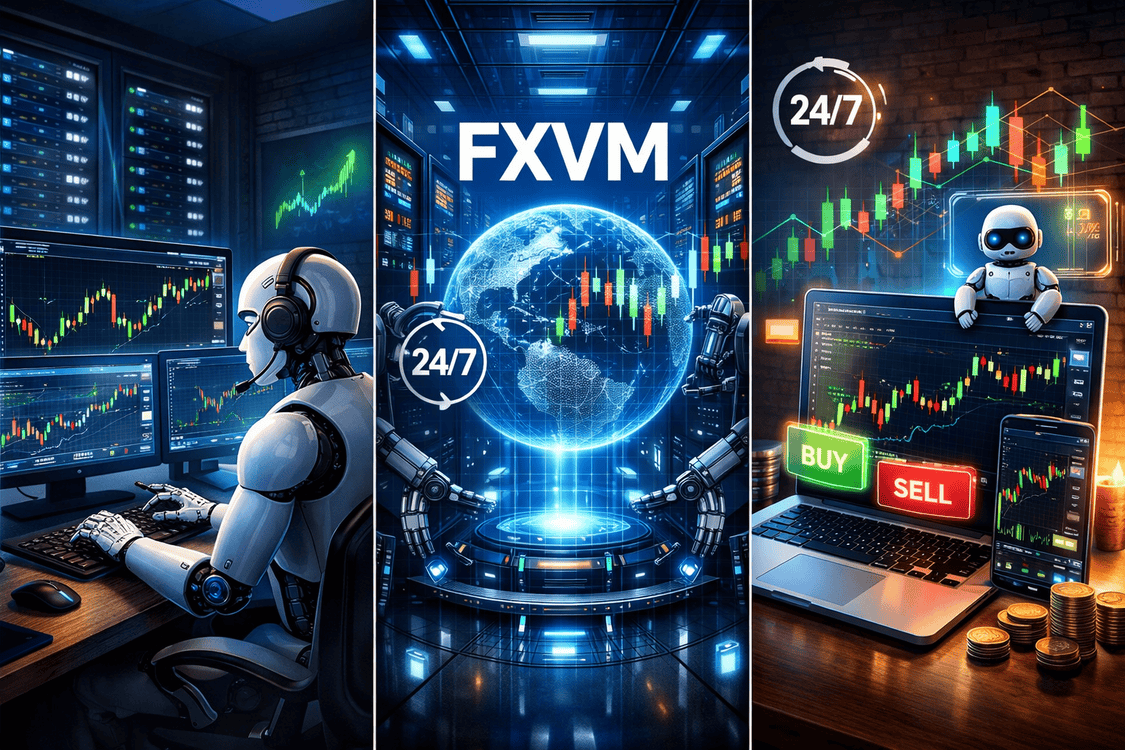
If you use Expert Advisors, one question comes up sooner or later: can your setup really handle 24/7 automated trading without you constantly watching it?
That is where a trading VPS enters the conversation. And if you have been searching around, you have probably seen FXVM mentioned more than once. It is one of those names that keeps coming up whenever traders talk about hosting MT4 and MT5 away from a home PC.
In this article, we are looking at a very specific question: is FXVM good enough for Expert Advisors and round-the-clock automated trading? Not in theory, but in the practical way traders actually use EAs every day.
Because the truth is simple. A VPS does not make a bad bot good. It does not fix poor risk management. But it can make your trading setup more stable, more reliable, and less dependent on your laptop, your local internet, or your electricity staying perfect all week.

Want to check FXVM’s plans for EA trading before reading the full breakdown?
If you already know you need a VPS for MT4 or MT5 automation, this is the quickest way to see FXVM’s current plans and setup options.
Check FXVM plansWhat This Guide Covers
Why EA traders even look at VPS hosting
Most people do not wake up one morning and randomly decide they need a VPS. Usually, something goes wrong first.
Maybe MT4 shuts down after a Windows update. Maybe the power goes off. Maybe the internet cuts for a few minutes and an EA misses a trade or fails to manage an open position the way it should. Maybe you are tired of leaving your own computer on all day and all night just to keep one or two bots running.
That is why VPS hosting matters for Expert Advisors. It gives you a remote environment where your trading platform can stay online even when your personal machine is off. For traders who rely on automation, that changes the whole setup from something fragile into something much more stable.
And that home matters more than many traders realize. If your strategy depends on always being connected, then the environment it runs in becomes part of the strategy itself.
That is especially true if you are running a time-sensitive system such as a session-based breakout EA, where missed triggers or delayed order placement can change the outcome of a trade. It also matters for heavier automation styles such as the Smart Gold Martingale EA for MT5, where platform stability becomes even more important once positions start layering.
What actually matters for 24/7 automated trading
Not every VPS is a good fit for Expert Advisors. Some are too generic. Some look cheap until you realize support is weak or setup is more complicated than expected. Others may be fine for light usage but struggle once you start running several charts, indicators, or heavier bots.
Reliable uptime
This is the big one. If you are running EAs around the clock, uptime is not just a nice feature. It is the whole point. A VPS should help protect your trading setup from the usual home-level issues like internet interruptions, power cuts, laptop sleep mode, or random reboots.
Enough room for your actual workload
Some EAs are light. Others are not. A single trend-following EA on one chart is very different from running several bots across multiple terminals with trade managers, indicators, and alerts all working at once.
That is why you cannot judge a VPS plan by price alone. Your real workload matters more than the marketing headline.
Automatic startup after a reboot
This is one of those small details that becomes very important in real use. If the VPS reboots and your MetaTrader platforms do not restart automatically, your automation chain breaks. For EA traders, that is not a minor issue.
FXVM discusses this directly in its MetaTrader 4/5 automatic startup guide, which is one of the more useful pieces of documentation for traders who do not want to manually relaunch their whole setup after a restart.
Support when things go wrong
A trading VPS is easy to love when everything is smooth. The real test is what happens when you lose access, forget a setting, or need help getting MetaTrader back online. Good support saves a lot of stress.
Compatibility with your EA setup
Not all EA workflows are equally simple. Some just run inside MetaTrader and behave nicely. Others depend on extra files, outside tools, or DLL-based functions. That is why you need to know the limits of the environment you are choosing.
Where FXVM fits in for Expert Advisors
FXVM is interesting because it is clearly built around traders rather than around general cloud hosting. Its VPS hosting pages emphasize features such as dedicated IP addresses, automatic backups, setup in 5 minutes, uptime guarantee language, support for any EA, any broker, and any trading platform, plus 24/7 expert support.
That kind of positioning already makes it more relevant for EA traders than a generic server provider. You are not trying to turn a random server into a trading workstation. You are starting with something that is already aimed at the MetaTrader crowd.
For automated trading, that is a strong starting point. FXVM understands that the use case is not just “run Windows remotely.” It is “keep trading software online and functioning.”
If your own setup includes MT5-based gold automation or a breakout system that needs clean session execution, that trading-first focus is a real advantage. The closer the environment is to actual trader workflows, the less time you spend fighting the setup itself.
FXVM’s strongest points for EA users
It is built around trading use cases
This may sound obvious, but it matters. FXVM is not talking to website developers or app teams first. It is talking to traders. That means the features, the wording, and the knowledge base all make more sense for someone running MT4 or MT5.
MetaTrader auto-start is a real plus
One of the more useful details in FXVM’s knowledge base is its MetaTrader 4/5 automatic startup guide. FXVM says its in-house software, included for free in its VPS, can automatically start MetaTraders after the VPS is rebooted.
For EA traders, this matters a lot. If you are running automated strategies 24/7, a reboot should not mean you have to manually log in and reopen everything every time. This feature helps reduce that risk.
For automated trading, small operational details matter. A VPS that can restart MetaTrader after a reboot is far more useful than one that leaves you to fix everything manually.
FXVM explicitly allows EAs on VPS plans
FXVM’s VPS pages say “Any EA,” which is exactly the kind of reassurance many bot traders want to see. It tells you the service is meant to support automated strategies rather than merely tolerate them.
That does not mean every EA setup is identical, of course. But it does show FXVM is not positioning itself as a barebones remote desktop where automation is an afterthought.
Automatic backups and support add practical value
FXVM’s feature set also includes automatic backups and 24/7 expert support. Those are easy to overlook when comparing plans, but they matter in real trading. If something breaks, you want recovery options and people who understand the environment you are using.
Good fit for MT4 and MT5 automation
FXVM repeatedly markets its VPS hosting as optimized for MT4 and MT5. That is important because Expert Advisors typically live inside MetaTrader, so the closer the environment is to those platforms and their workflows, the smoother your setup tends to be.
That matters whether you are running a simple bot on one terminal or juggling several systems at once. If you eventually scale from one strategy into multiple EAs, starting with a provider that already understands MetaTrader environments can save you time later.
Where you still need to be careful
This would not be an honest review if we stopped at the good parts.
FXVM looks promising for EA traders, but there are still a few things you need to think through before choosing a plan.
Not every plan is the same
FXVM has a newer Virtual Desktop product that is different from a full VPS. It is designed for one instance of MT4 or MT5 and is positioned as a simpler, budget-friendly environment.
That can be fine for a light setup, but it is not the same thing as having a fully flexible VPS. Traders with several bots, multiple terminals, or more advanced workflows may outgrow it quickly.
DLL-based EA limitations matter
FXVM’s Virtual Desktop guide specifically notes that while users can add EAs, the Virtual Desktop is not designed for DLL-based setups in the normal way many advanced traders might expect. So if your bot depends on DLL functions or extra integrations, you need to read the product limitations carefully before choosing that route.
You still need enough resources
A VPS can only do so much if you overload it. FXVM’s knowledge base says the number of MT4 or MT5 terminals a VPS can run depends on the number of symbols, charts, indicators, active EAs, and how CPU-intensive those EAs are. It gives a conservative rule of around 2 to 4 MetaTrader terminals per CPU core, but the real answer depends on the setup.
This is important because EA traders are often tempted to buy the smallest plan possible. That is not always wise. A bot that looks light during quiet market hours can still become demanding when volatility picks up.
FXVM explains this in more detail in its guide to how many MT4 and MT5 terminals can run on a VPS, and that is worth reading before you choose a lower-tier plan.
Which FXVM option makes the most sense for EA traders?
The answer depends on how serious your setup is.
| FXVM option | Best for | EA trading take |
|---|---|---|
| Virtual Desktop | One light MT4 or MT5 setup | Good for basic automation, but not ideal for advanced or DLL-heavy workflows |
| VPS plans | Several terminals or more flexibility | Better fit for most serious EA traders |
| Dedicated Server | Heavy or complex automation | Makes sense if your workload is large and resource demand is high |
Virtual Desktop
The Virtual Desktop is the most interesting lower-cost option if you only need one MetaTrader platform online. FXVM says it is designed for a single MT4 or MT5 instance, which makes it a neat entry point for traders who are just starting with automation or running one simple EA.
Where it works well
It works best when your setup is simple, self-contained, and does not require a lot of extra software or unusual integrations.
Where it becomes limiting
Once your workflow becomes more advanced, the limits show up. That is especially true if you want multiple platforms, more flexibility, or DLL-based behavior.
Standard VPS plans
For most traders who are serious about running Expert Advisors 24/7, this is probably the real sweet spot. You still get the trading-focused environment, but with more room to grow and more flexibility for multi-terminal use.
If you run several EAs, manage more than one account, or simply want headroom, the VPS tiers make a stronger case than the entry-level desktop product.
Dedicated servers
Dedicated servers are clearly aimed at the heavier end of the market. FXVM markets them for more intensive and complex requirements. Most everyday EA traders will not start here, but it is useful to know the upgrade path exists if your automation stack grows.
Can FXVM handle true 24/7 automated trading?
In practical terms, yes, it looks capable enough for that use case.
The reason is not just that FXVM offers VPS plans. It is that the company appears to understand the full chain of what automation needs: MetaTrader-focused hosting, EA support language, automatic backups, auto-start tools for MetaTrader, and support coverage around the environment.
That makes it more than just “a server you can log into.” It becomes a trading-focused environment with features that directly matter to bot users.
Of course, the quality of your 24/7 automation will still depend on your own setup too. If you overload the VPS, use unstable EAs, or choose the wrong plan for your workload, you can still run into trouble. But that is not unique to FXVM. That is true of any VPS provider.
Who FXVM is best for
FXVM makes the most sense for traders who want a hosting environment that feels built for MetaTrader automation instead of adapted to it later.
FXVM is a strong fit if you:
- run EAs on MT4 or MT5
- want your platform online all the time
- need a more reliable setup than a home PC
- care about MetaTrader auto-start after reboots
- prefer a service with trading-focused support and documentation
- want an easy path from a basic setup to a more advanced one
FXVM may be less ideal if you:
- only care about the absolute cheapest server possible
- plan to run a complicated DLL-based workflow on the most restricted entry product
- expect any VPS to rescue a poor EA or bad risk management
My final take
If your question is whether FXVM is good enough for Expert Advisors and 24/7 automated trading, I would say yes, with one important condition: you need to choose the right environment for the way your bots actually run.
For light automation, the Virtual Desktop can make sense. For more serious EA trading, the standard VPS plans look like the better choice. And if your setup becomes much heavier, FXVM at least gives you a path upward.
What I like most is that FXVM seems to understand the real needs of automated traders. It talks about MetaTrader, EA support, backups, startup behavior, and support, not just raw server specs. That makes it easier to trust as a trading-focused option.
So no, FXVM is not just another generic VPS with trading language pasted on top. It looks like a genuinely relevant option for EA traders who want a steadier 24/7 environment.
Frequently asked questions
Is FXVM good for Expert Advisors?
Yes, it appears well suited to Expert Advisor users, especially on its VPS plans that are clearly marketed around any EA, MetaTrader optimization, and 24/7 support.
Can FXVM restart MetaTrader automatically after a reboot?
Yes. FXVM has a MetaTrader 4/5 automatic startup guide and says this in-house tool is included free with its VPS.
Is the Virtual Desktop enough for EA trading?
It can be enough for one lighter MT4 or MT5 setup, but it is not ideal for more complex or DLL-heavy workflows.
How many EAs can I run on FXVM?
That depends on how many terminals you run, how many charts and indicators are active, and how CPU-intensive your Expert Advisors are.
Is FXVM better than running EAs on a home computer?
For traders who need uptime and stability, usually yes. A VPS reduces your reliance on local internet, power, and personal hardware staying online all the time.
Resources
- FXVM official website
- FXVM VPS hosting page
- FXVM MetaTrader automatic startup guide
- FXVM guide to adding EAs to Virtual Desktop
- FXVM Virtual Desktop guide
- FXVM terminal capacity guide