
Finding the best forex VPS for MT4 and MT5 sounds easy until you start comparing options. Suddenly you are looking at server specs, uptime claims, latency promises, Windows environments, dedicated IPs, and plan names that all blur together.
That is exactly why this guide exists. If you trade with MetaTrader, run Expert Advisors, use trade copiers, or simply want your platform online around the clock, a forex VPS can move from being a nice extra to being part of your actual trading setup.
In this article, we are not just talking about any VPS. We are looking at what actually matters for MT4 and MT5 users, what separates a decent trading VPS from a frustrating one, and where FXVM fits into the picture if you are comparing providers in 2026.

Want to check FXVM’s current plans before you read the full breakdown?
If you already know you need a forex VPS for MT4 or MT5, this is the fastest way to view FXVM’s latest plan options, pricing, and setup choices.
Check FXVM PlansWhat This Guide Covers
- What makes a good forex VPS for MT4 and MT5
- Why traders use VPS hosting in the first place
- The features that matter most for automated and semi-automated trading
- Where FXVM stands out
- Who FXVM is best for and where it may fall short
- Frequently asked questions and resources
Why MT4 And MT5 Traders Even Need A Forex VPS
Let’s start with the obvious question. Why bother with a VPS at all?
If you open and close trades manually from your laptop a few times a week, you may never feel a pressing need for one. But the moment your setup depends on uptime, stable connectivity, or round-the-clock execution, a VPS starts making a lot more sense.
A forex VPS gives you a remote Windows environment where your trading platform can stay online even when your local machine is turned off, your internet is unstable, or your power goes out. For MT4 and MT5 users, that matters most when they are running EAs, script-based tools, signal copying software, or multi-account workflows.
This is one of the biggest reasons traders start searching for the best forex VPS for MT4 and MT5. They are not looking for hype. They are trying to reduce downtime, execution interruptions, and all the annoying small issues that can get expensive over time.
What Actually Makes The Best Forex VPS For MT4 And MT5?
Not every VPS is a good trading VPS. That is where a lot of people get tripped up. A cheap generic server might technically run Windows and MetaTrader, but that does not automatically make it the best choice for active trading.
Reliable Uptime
This is the foundation. If the platform is not consistently available, the rest barely matters. A VPS should help reduce the risk of your trading setup going offline because of local internet problems, computer restarts, or power issues.
Enough CPU And RAM For Your Real Setup
MT4 and MT5 can be very light or surprisingly demanding depending on how you use them. One quiet terminal with a couple of charts is not the same thing as several terminals running active EAs, lots of indicators, and a copier in the background.
That is why choosing the right VPS is never just about the headline plan name. It is about matching resources to your actual workload.
Good Server Locations
Location matters because it can affect latency between your trading platform and your broker’s infrastructure. The closer your VPS is to the trading server you connect to, the better your odds of lower latency. That is especially relevant for strategies where execution speed matters more.
Easy Setup And Ongoing Support
Most retail traders are not trying to become server administrators. They want something that works, is easy to log into, and comes with support when things go wrong.
A Windows Environment That Feels Familiar
MT4 and MT5 users usually want a Windows server setup because it feels closer to running MetaTrader on a normal desktop. That makes onboarding easier, especially if you are not particularly technical.
Where FXVM Fits In
This is where FXVM becomes interesting.
Instead of presenting itself as a generic cloud host, FXVM is clearly built around trading use cases. Its core pitch is that it offers VPS and server solutions optimized for trading platforms like MT4 and MT5, with features such as dedicated IP addresses, automatic backups, Windows Server, multiple server locations, 24/7 support, and quick setup. The site also highlights a 7-day money-back guarantee and a low-cost try-us offer.
That trading-first positioning matters more than it may seem at first glance. A lot of traders do not want to waste time learning a broad hosting platform that was not built with MetaTrader users in mind. They want a service that understands why they care about uptime, latency, RDP access, and keeping terminals online.
In that sense, FXVM sits in a strong spot. It is not trying to be all things to all users. It is trying to be a practical trading VPS provider.
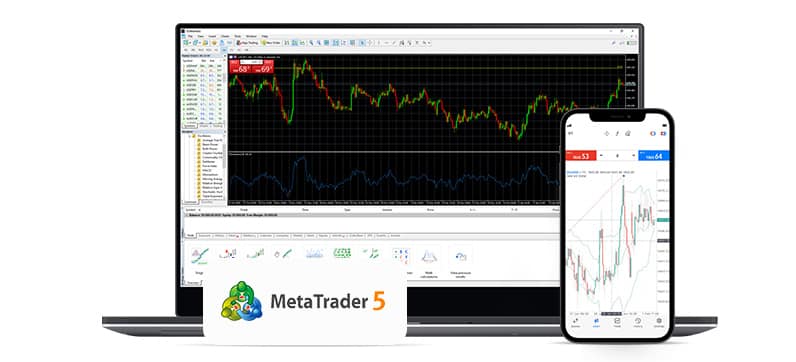 MT5 users tend to benefit most from a VPS when they run EAs, copy trading software, or multi-session setups that need to stay online.
FXVM’s Product Structure Makes Sense For Traders
One thing I like about FXVM is that the product ladder is easy to understand. The company offers three main routes: Virtual Desktop, Virtual Private Server, and Dedicated Server. The Virtual Desktop option is built for one MT4 or MT5 instance, while the VPS and Dedicated Server tiers are aimed at traders who need more flexibility or heavier capacity.
| Option | Best For | What It Means In Practice |
|---|---|---|
| Virtual Desktop | One MT4 or MT5 platform | Entry-level, simplified environment for a lighter setup |
| Virtual Private Server | More flexibility and more terminals | Better if you want a fuller Windows VPS environment |
| Dedicated Server | Heavy workloads and advanced setups | More power, more control, and a higher budget requirement |
Virtual Desktop
FXVM’s newer Virtual Desktop plan is built specifically for one instance of either MT4 or MT5. The company describes it as a simplified, secure, easier-to-use environment for traders who do not need extensive multitasking. FXVM also says this option supports one MT4 or MT5 platform, works with any broker, allows any EA except those that depend on DLL functions, and is designed for quick setup.
Why That Matters
For a solo trader who just wants one MetaTrader platform running remotely, this can be a smart low-friction entry point. It is not the choice for everyone, but it gives beginners or lighter users a more focused option than a full VPS.
Where It Can Feel Limiting
FXVM’s own guide makes it clear that this plan is not meant for broad multitasking or more complex workflows. It is designed around one MT4 or MT5 setup, which means traders who need more than that will likely move up to a VPS tier sooner rather than later.
Virtual Private Server Plans
The VPS side is where FXVM becomes more flexible. FXVM’s VPS marketing highlights dedicated IP addresses, automatic backups, Windows Server, support for any broker, any trading platform, and 24/7 expert support, plus setup in minutes.
For many MT4 and MT5 traders, this is the sweet spot. You get a trading-focused environment but with more room for extra terminals, tools, and workflow growth.
Dedicated Server
At the higher end, FXVM offers dedicated forex servers. The official dedicated server page says these are designed for the most intensive and complex requirements, with 1ms latency messaging, broader customisation, and support for platforms including MT4 and cTrader. It also lists entry pricing from £131 per month at the time of writing.
That is obviously a more advanced route, but it gives FXVM a path for traders who outgrow standard VPS hosting.
How Many MT4 Or MT5 Terminals Can A VPS Handle?
This is where things get practical.
One of the more helpful pieces in FXVM’s knowledge base says a conservative guideline is around 2 to 4 MetaTrader terminals per CPU core, but that the real number depends heavily on the setup. Charts, symbols, indicators, EA activity, and general optimization all change the answer. FXVM also warns users not to overload CPU usage, especially during active market sessions when demands can spike.
That guidance is useful because it reflects reality. There is a huge difference between:
- one terminal with two charts and no EA
- three terminals with active gold scalpers
- several MT4 or MT5 instances running trade copiers and multiple indicators
So when looking for the best forex VPS for MT4 and MT5, one of the smartest things you can do is be honest about your load. Traders often try to buy the smallest possible server to save a bit of money, then wonder why performance feels tight.
Why FXVM Appeals To MT4 And MT5 Users
It Speaks The Language Of Traders
This might sound minor, but it matters. FXVM’s site and knowledge base are built around trading scenarios, not general IT use cases. That makes it easier for a trader to understand where they fit and what kind of plan they may need.
It Supports The Platforms Traders Already Use
FXVM explicitly markets itself around MT4 and MT5 optimization, and its knowledge base includes MetaTrader-specific guides like installing the platform, adding broker servers, terminal capacity guidance, and automatic startup for MetaTrader applications on supported VPS plans.
That gives it an advantage for users who do not want to spend extra time making a generic VPS behave like a trading workstation.
Location Choice Is A Real Plus
FXVM’s product pages reference multiple VPS locations including major trading hubs such as New York, London, and Tokyo on some plan pages, and the broader site positioning emphasises location choice as part of the value proposition.
That matters because not every broker sits in the same place, and traders who care about latency benefit from having location options rather than a single default region.
Support Can Be Worth More Than Raw Specs
FXVM repeatedly emphasizes 24/7 expert support across its core pages. For traders who are not highly technical, that may be one of the most important parts of the offer. A VPS that looks good on paper but leaves you alone when something breaks can become frustrating very quickly.
Who FXVM Is Best For
FXVM makes the most sense for traders who want a service clearly built around trading platforms rather than broad cloud hosting.
FXVM Is A Strong Fit If You:
- Run MT4 or MT5 with Expert Advisors
- Need your trading platform online all the time
- Prefer a Windows-based remote environment
- Want a provider that already understands MetaTrader workflows
- Value setup simplicity and support
- Need a path from a single-platform setup to a more advanced configuration
FXVM May Be Less Ideal If You:
- Only care about the absolute cheapest server on the internet
- Need a fully general-purpose server for lots of non-trading work
- Want to run very heavy workloads on an entry-level plan and hope for the best
How FXVM Compares To The Idea Of A Generic VPS
This is one of the biggest practical questions.
A generic VPS may sometimes be cheaper. But the appeal of FXVM is that it removes some of the friction traders usually face when starting from a blank server. The platform is built around common trading needs, includes trading-oriented support content, and offers products tailored specifically to MT4 and MT5 use cases.
So the question is not only price. It is value.
If you are comfortable configuring everything yourself and troubleshooting odd issues when they come up, a generic VPS might be enough. But if you want something that feels more plug-and-play for trading, FXVM starts to make a stronger case.
Is FXVM The Best Forex VPS For MT4 And MT5?
The honest answer is that there is no single best VPS for every trader. That depends on your budget, how heavy your setup is, how much support you need, and whether execution speed matters a lot in your strategy.
What I can say is this: FXVM clearly deserves to be in the conversation. Its current offering lines up well with what many MT4 and MT5 traders actually want, especially people using EAs or maintaining a platform that needs to stay online without interruption. Its product stack also gives a sensible path from a simple one-platform environment to more powerful VPS and dedicated setups.
So if your question is where FXVM fits in, I would put it here:
- not the random bargain-bin option
- not a one-size-fits-all miracle tool
- but a serious trading-focused choice for MT4 and MT5 users who want reliability, flexibility, and a more purposeful hosting environment
My Final Take
If you are looking for the best forex VPS for MT4 and MT5, start by being honest about your actual setup. How many terminals do you run? How active are your EAs? How important is uptime? Do you care more about rock-bottom cost or ease of use?
Once you answer those questions, FXVM becomes easier to place. For many MetaTrader traders, it looks like a strong, trading-first option with a sensible product ladder, practical support content, and an offering built around how traders really use VPS hosting today.
That does not mean you should choose the smallest plan and hope it carries a demanding setup. It means FXVM is worth shortlisting, especially if you want a service that feels made for MT4 and MT5 rather than adapted to them.
In other words, if you want a forex VPS that fits the MetaTrader world naturally, FXVM fits in very well.
Frequently Asked Questions
Do MT4 And MT5 Traders Really Need A VPS?
Not always. But if your setup depends on uptime, automation, or remote stability, a VPS can be very helpful.
Is FXVM Good For Beginners?
Yes, especially if you want a more guided trading-focused environment instead of building everything out on a generic server.
What Is FXVM Virtual Desktop Best For?
It is best for traders who want to run one MT4 or MT5 instance in a simpler environment rather than a full VPS setup.
Can FXVM Handle Multiple MetaTrader Terminals?
Yes, but capacity depends on CPU, RAM, chart load, indicators, and EA intensity. The more active your setup is, the more headroom you should leave.
Is A Dedicated Server Necessary For Most Traders?
Usually not. Most traders will be looking at a standard VPS first. Dedicated servers are more relevant for very heavy or complex workloads.
Resources
- FXVM official website
- FXVM guide on MT4 and MT5 terminal capacity
- FXVM Virtual Desktop guide
- FXVM MetaTrader automatic startup guide
- FXVM dedicated forex server page