
MT5 History Center and price data basics matter more than many traders realise. If your charts look incomplete, your backtest behaves strangely, or your symbol history seems inconsistent across brokers, the issue often starts with how MetaTrader 5 stores and loads historical data.
This guide breaks down what traders need to know about MT5 History Center, price history, bars, ticks, and why data quality affects chart analysis, strategy testing, and even simple confidence in what you are looking at on screen.
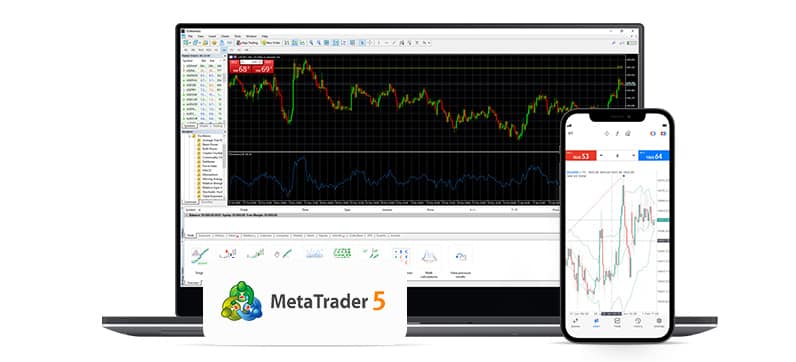
Top Three Prop Firms To Test Your MT5 Workflow
Once you understand how MT5 handles historical data, it becomes much easier to work through chart issues, trial environments, and platform setup inside a prop firm workflow. These are three popular names many traders compare.



Many traders hear the phrase historical data and think it is just for coders or advanced quants. It is not. Historical bars and tick history affect ordinary chart analysis too. They influence how far back your chart goes, how a symbol loads, what your indicators display, and how a strategy tester reconstructs market movement.
That is why MT5 History Center is not just a technical feature hiding in the platform. It is part of the plumbing behind reliable price action review, backtesting, and platform troubleshooting.
Table Of Contents
What MT5 History Center Actually Is
When traders talk about MT5 History Center, they usually mean the place where MetaTrader 5 lets you view and work with symbol history. In MT5, this is tied to the Symbols window, where available instruments can be inspected and where historical bars or tick data can be requested depending on the symbol and the broker setup.
In practical terms, this is where you start if you want to understand what historical data is available for a symbol, whether you are missing bars, or whether you need to request deeper data for analysis or testing.
MT5 History Center is not just about downloading old candles. It is the part of the platform that helps you manage and inspect the raw history behind charts, bars, and tick-based testing.
Bars Vs Ticks In MT5
One of the biggest sources of confusion in MetaTrader 5 is the difference between bars and ticks. A bar is a compressed summary of market movement over a timeframe. It includes open, high, low, close, and usually volume data for that period. A tick is a smaller price update, often representing individual quote changes over time.
If you open a one-hour chart, what you see are bars. If you dig deeper into real tick history, you are looking at finer movement inside those larger time windows. MT5 and MQL5 documentation make this distinction clear, and it matters because different tools inside the platform rely on different data depths.
| Data Type | What It Represents | Why Traders Should Care |
|---|---|---|
| Bars | A summary of price movement for a set timeframe like M1, H1, or D1 | Useful for chart analysis, indicators, and general price action review |
| Ticks | Smaller quote updates that can show more detailed price changes inside a bar | Important for high-detail testing, scalping logic, and realistic execution modelling |
| Real Ticks | Actual recorded tick history when available from the symbol data | Can improve backtest realism compared with rougher modelling methods |
If you are mostly doing discretionary chart analysis, bars are usually enough. If you are testing a scalping EA, entry model, or execution-sensitive system, tick quality becomes much more important.
Why Historical Price Data Matters
Historical price data affects more than people think. A chart can look clean while still hiding gaps, limited depth, or broker-specific differences. That can distort indicator readings, create strange backtest outcomes, or make you believe a level existed clearly in the past when the loaded history is actually incomplete.
This becomes even more important when traders compare brokers, challenge accounts, and demo environments. One MT5 terminal can show a slightly different history depth or symbol feed than another, especially if the brokers do not maintain identical server-side records.
It Influences Indicator Output
Indicators rely on the bars loaded in the chart history. If the platform has shallow historical depth, your moving averages, session tools, and other indicators may begin calculations from a shorter dataset than you expect.
It Shapes What You Think The Market Did
Traders often trust the visual chart completely. That is understandable. But charts are only as good as the underlying data available to the platform. If you are reviewing old setups, trying to understand prior volatility, or studying market structure, data coverage matters.
It Changes Backtest Confidence
Backtests always depend on historical input. If the history is patchy, limited, or based on less detailed modelling, the result may still look impressive while being less trustworthy than it appears.
More historical data does not automatically mean better trading. But poor or misunderstood data can definitely create false confidence.
Where To Find Historical Data In MT5
In MetaTrader 5, the practical route is usually through the Symbols area. You choose a symbol, then inspect or request Bars or Ticks depending on what is available. The official platform help and MQL5 educational material both point traders toward the Symbols dialog for this workflow.
This matters because many people still search for a classic History Center menu the way they remember it from older platform habits. In MT5, the workflow is more tightly connected to symbols and their available data tabs.
If you want to go beyond ordinary chart viewing, the MetaTrader 5 help section is useful for understanding the platform interface, while the broader MQL5 documentation is helpful if you need to think in terms of timeseries access, bar counts, or data handling.
Why Broker Data Can Look Different
This is one of the biggest practical points traders need to remember. MT5 is the platform, but your broker or prop environment influences the symbol feed and available history. That means two terminals can both be MetaTrader 5 and still show slightly different historical behaviour for the same market.
Some differences are small. Others matter more. Index pricing, CFD sessions, synthetic symbols, spreads, and overnight handling can all vary. If you have ever compared one chart to another and thought something looks off, this is often part of the explanation.
| Situation | What You Might Notice | Possible Reason |
|---|---|---|
| Different broker charts | Highs, lows, or candles do not match perfectly | Broker feed, session handling, or symbol construction differs |
| Short chart history | Older candles seem missing | The symbol history has not been fully requested or is not provided deeply |
| Weak backtest realism | Results look too clean or inconsistent live | Tick depth, bar quality, or modelling assumptions are limited |
How Price Data Affects Backtesting
MT5 strategy testing is only as good as the data and modelling behind it. MetaQuotes has long explained that tick handling matters in testing, especially when the tester must work from available minute bars or from real ticks where available.
For a slower swing system, this may not be a huge deal. For a scalping robot, breakout EA, or intraday system with tight stop loss logic, the difference can be serious. A model that looks fine on broad bar summaries may behave very differently when exposed to more detailed tick-level movement.
That is why serious traders ask simple but useful questions before trusting a backtest: how much history is loaded, what symbol feed is being used, whether real ticks are available, and whether the broker environment resembles the place where the strategy will actually run.
Before trusting a strong backtest, check the symbol history, understand the broker environment, and make sure your test conditions match the account type you actually plan to trade.
Common History Center Mistakes Traders Make
Assuming All MT5 Data Is Universal
It is not. MT5 is the software environment, but symbol history still depends heavily on the broker or trading server.
Confusing Bars With Tick Precision
A beautiful H1 chart does not mean you have the kind of granular data needed for detailed strategy testing.
Not Checking History Before Reviewing Old Setups
If you are analysing older trades or trying to learn from prior market moves, shallow chart history can produce misleading conclusions.
Using The Wrong Environment For Testing
Testing on one symbol feed and trading on another can lead to surprising differences, especially for systems that depend on precise entries.
What Traders Should Remember About MT5 History Center
MT5 History Center and price data basics are not just technical trivia. They shape how reliable your charts feel, how useful your backtests are, and how much confidence you should place in what the platform is showing you.
The core idea is simple. Bars summarise price movement. Ticks give more detail. Data availability varies by broker and symbol. And the more sensitive your strategy is to price precision, the more important that underlying history becomes.
So if something in MetaTrader 5 looks incomplete, inconsistent, or surprisingly different from another setup, do not assume the platform is broken. Start by checking the history behind the chart. Very often, that is where the answer begins.
Want To Test Your MT5 Setup In A Realistic Environment?
Once you understand how MT5 handles historical bars and tick data, the next step is using that knowledge inside a demo, trial, or prop firm workflow. These firms are common comparison points for traders working on MT5-based routines.
Related Content
If you are building around FTMO US and MT5, these articles fit naturally with this topic and can help readers move from data basics into setup and execution details.
Frequently Asked Questions
What Is MT5 History Center?
MT5 History Center generally refers to the part of MetaTrader 5 where traders can inspect and request historical symbol data, including bars and ticks. In MT5, this is closely tied to the Symbols window rather than the older mental model many traders remember from earlier platforms.
What Is The Difference Between Bars And Ticks In MT5?
Bars summarise price action over a timeframe such as M1 or H1. Ticks are smaller quote updates inside that movement. Bars are enough for many chart reviews, while tick data is more important for precision testing and execution-sensitive systems.
Why Does Historical Data Matter In MetaTrader 5?
Historical data affects chart depth, indicator calculations, price-action review, and strategy testing. If the data loaded for a symbol is shallow or inconsistent, your analysis can be less reliable than it looks.
Why Do MT5 Charts Look Different Across Brokers?
Because the platform may be the same while the broker feed, symbol construction, sessions, and available history differ. That can lead to variations in candles, highs, lows, spreads, and testing results.
Does Better Tick Data Improve Backtests?
Often yes, especially for scalping or intraday systems that depend on precise entries and exits. Better tick detail can make testing more realistic, though it still does not guarantee live trading results will match perfectly.
Can Traders Import Price History Into MT5?
Yes. MT5 supports importing price history for custom symbols, including bars and ticks, which can be useful for advanced analysis, custom datasets, and specialised testing workflows.
Resources
Disclosure
This page may contain affiliate links. That means The Payout Report may earn a commission if you choose a partner through one of the links above. Always verify current platform terms, challenge rules, and account conditions on the official site before making a purchase.